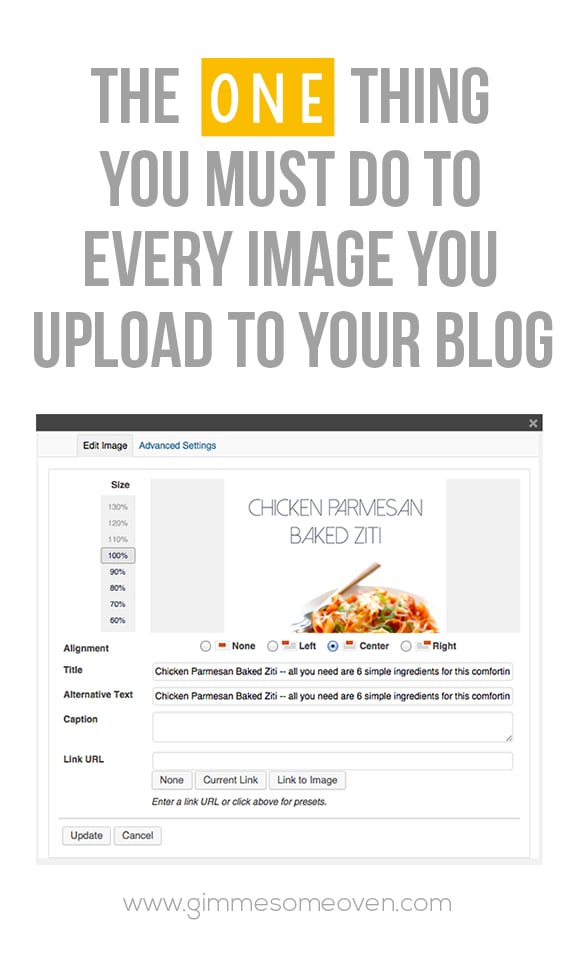
This one may seem like a no-brainer for those of you bloggers who use Pinterest every single day. But occasionally I still see new bloggers forgetting to take this crucial step with uploading photos that will literally make all the difference in optimizing your photos on Pinterest. Plus, as a bonus, it also helps with SEO.
The thing??
Titling your photos. Here’s how to do it:
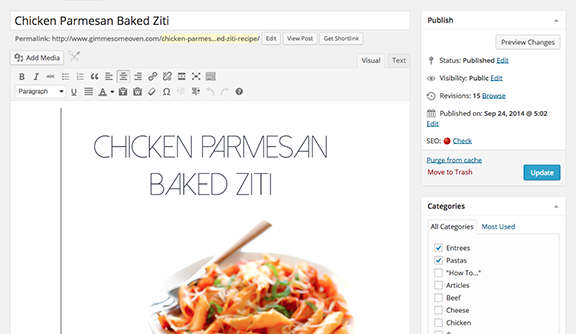
1. Begin by opening up your post and finding the image you want to title.
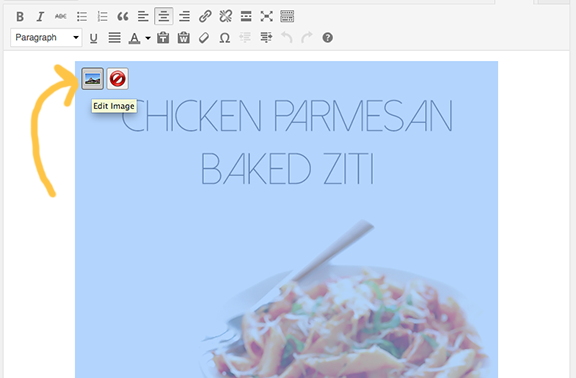
2. Click on it, and then click on the “Edit Image” button (the little icon with the mountains) that pops up.
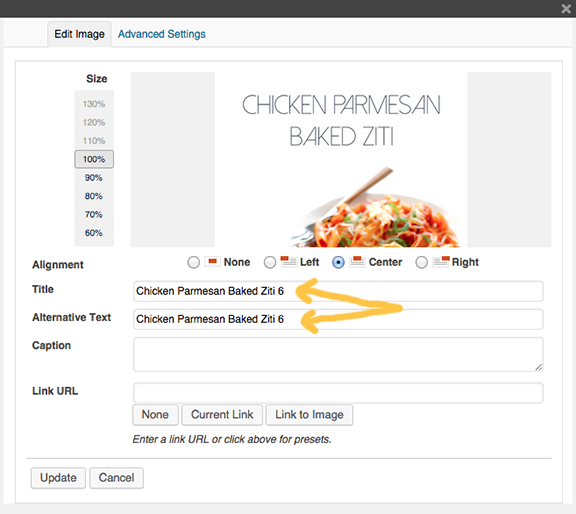
3. Whatever name you gave the image when saving it on your computer will now pop up.
(Another big tip — save your images with the names of the post! Not IMG_3928, or however your camera wants to name it. This will majorly help with SEO.)
Still, whatever image name you have here is what you want to change, because this is the text that will show up when people go to pin your image.
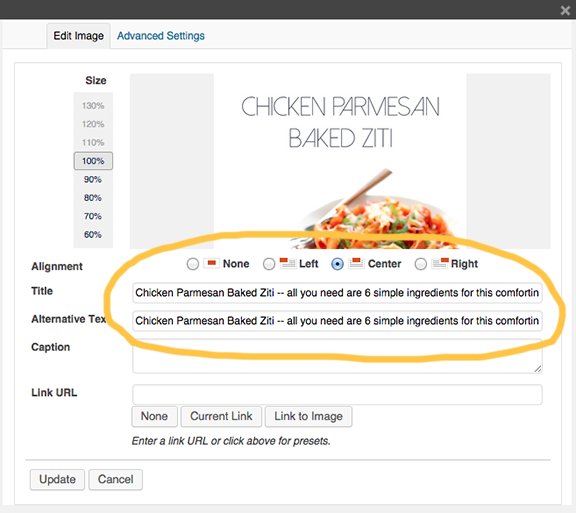
4. Ideally, the experts say that your title (and alt text) should have around 200 characters to be best optimized for Pinterest. I recommend including:
- The title of your image/post (even if you use Rich Pins, those titles usually don’t show up on all mobile devices)
- Some kind of description
- Your URL or Pinterest handle (I love the URLs because they are live links that people can click on within Pinterest)
- Hashtags (optional, and I recommend only using 1-3)
Then copy whatever text you included, and hit “update”. Then go and paste the text on all other photos that you have on that page. (Or change them each to include whatever text you want.)
You can also do this step when uploading photos to WordPress in the first place.
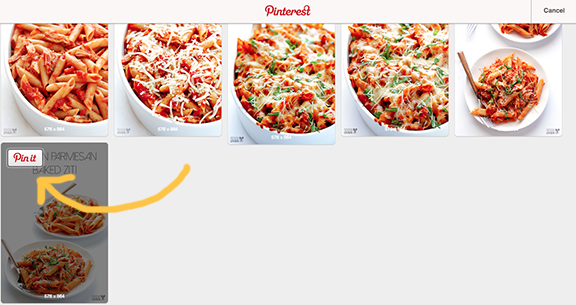
5. So now, whenever someone goes to pin your image on Pinterest…
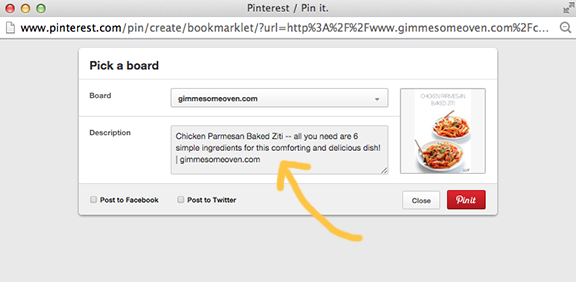
6. …your sweet new title text will show up in the description. So much better than “Chicken Parmesan Baked Ziti”, yes??
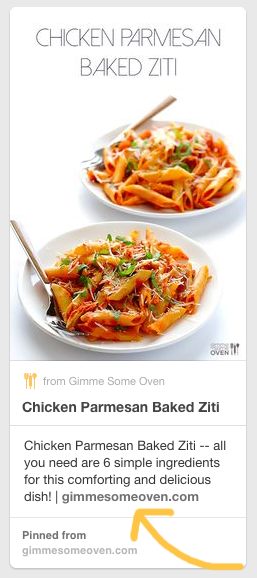
7. Of course, any pinner has the option of typing in whatever text they want to replace yours. But as someone who uses Pinterest day in and day out, I can confidently say that the vast majority of pinners never bother to take the time to rename your image.
So decide what you want to say, and title that text baby!
(And by the way, this Chicken Parmesan Baked Ziti will knock your socks off. Give it a try!)
Thank you for this post. Sometimes I forget to do this but you’ve made me realise how important this is. Thank you
Super helpful! Thanks for the info!
Thank you for this clear explanation!
Question: are your title and alt texts identical per image?
Wow thanks for sharing these tips and the recipe, it sounds delicious ?
Thanks for this! I knew it was important to write something in the title and description of the image but was unaware of how I can harness the power of Pinterest by optimizing the text here. Still new to the blogging game and feel like I have so much to learn.